Your AI writes the code. Who reviews it? Meet Enji Guard.

The dashboard each person
builds for themselves

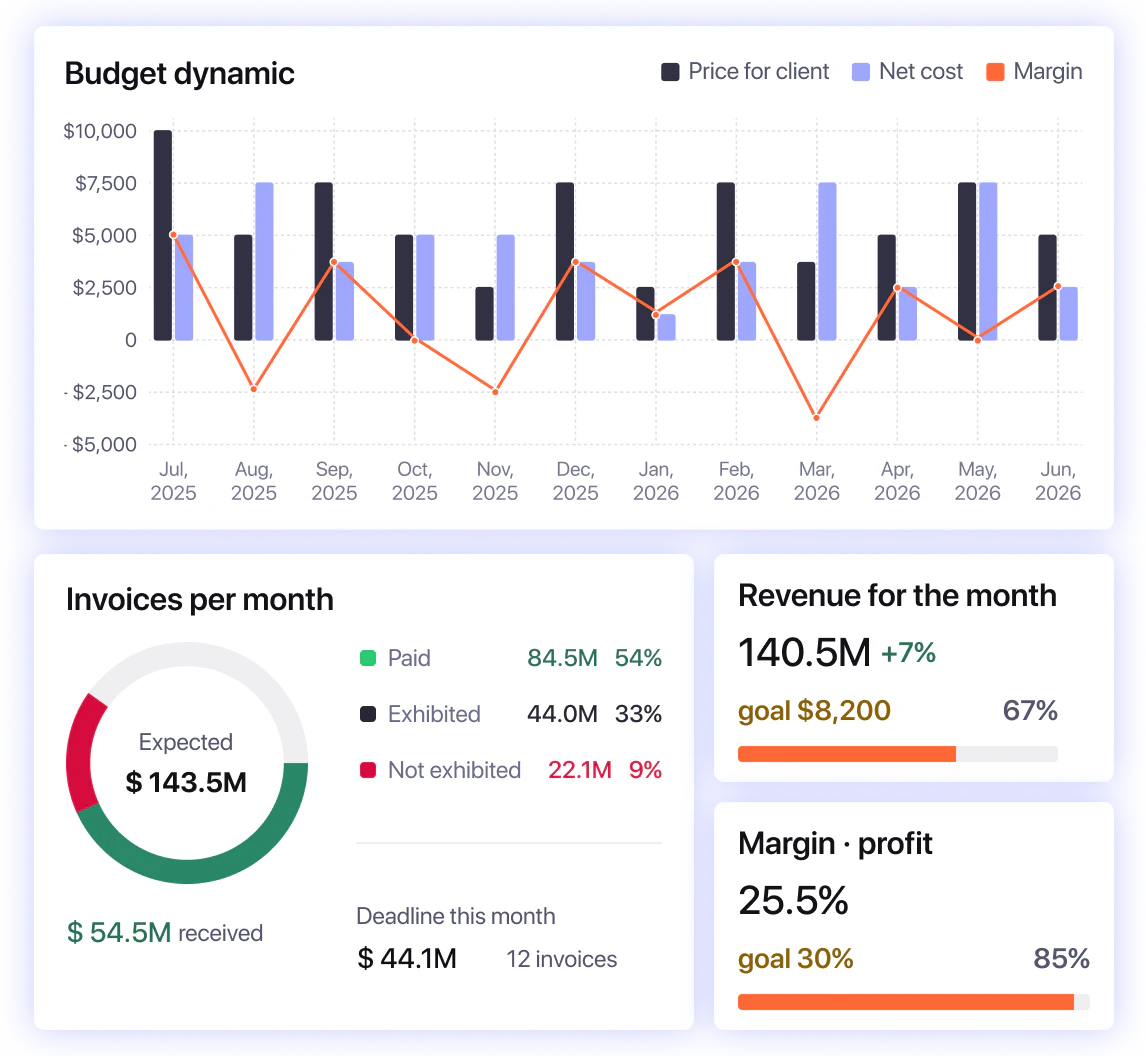
Everyone on your team needs to see something different. A CTO, a project manager, and a team lead don't want the same numbers. Dynamic Dashboards let each person build the view they actually need, from ready-made widgets or straight from PM Agent.

Projects: Data source:
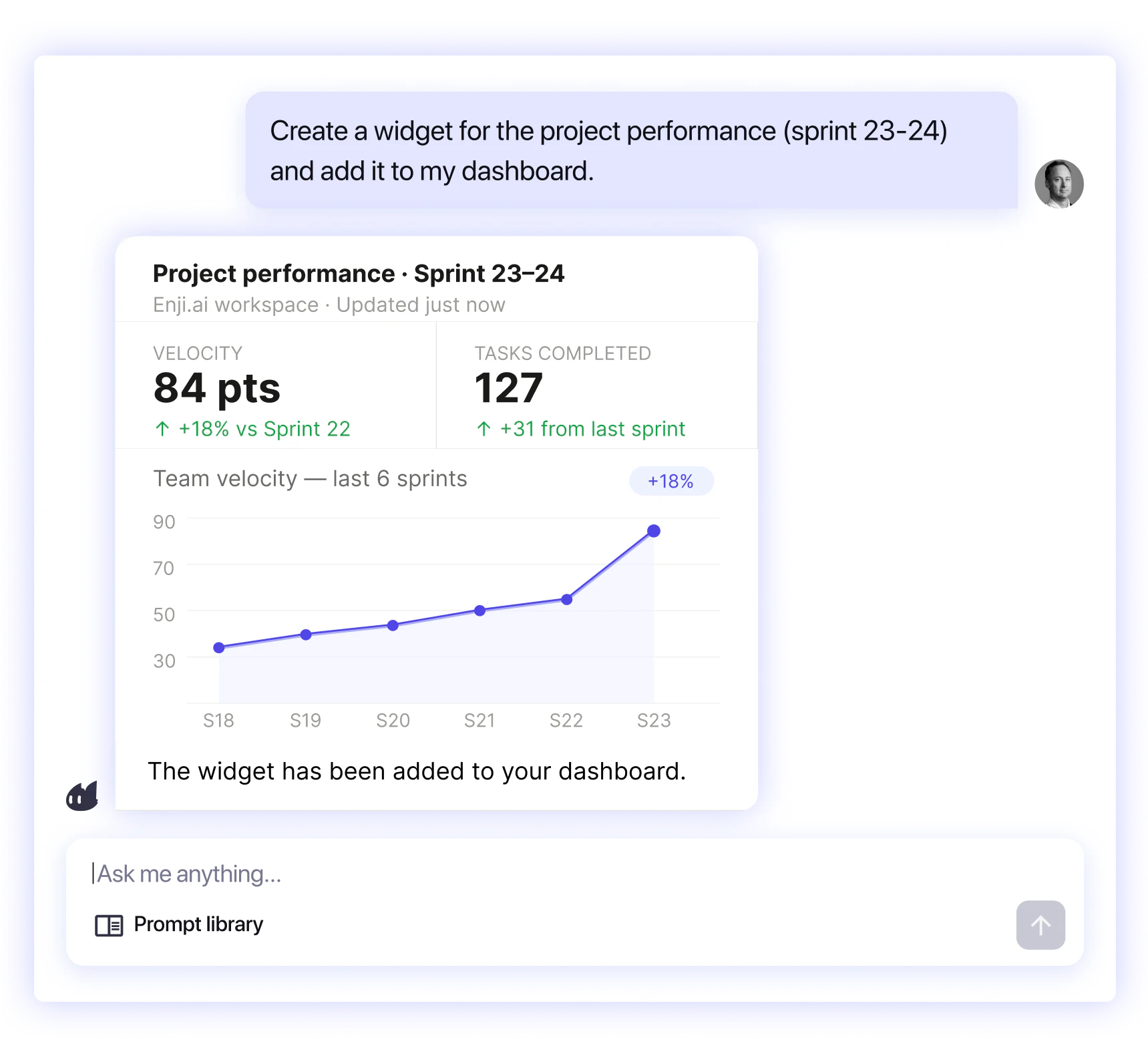
Create a widget of the project performance
Add this widget to the dashboard
Ask me anything... Prompt library
Current sprint dashboard Live
Active blockers 3 ↓ Backend team
Avg cost / task $214 ↑ $18 efficiency gain
Total 206
Bench 8 $4.7M/month
Underload 12 -40% capacity
Overload 10 +110% now
Norm 75 70-110% capacity
M Margaret Tick 0h allocated Reduce load Overload
A Alexis Ren Overload risk Reduce load Overload
D Daniel Popov Overload risk Reduce load Overload
J John Smart 40% workload Find a project Underload

Build the dashboard you actually need

Different roles need different project data, and priorities can change fast. Today you may track delivery health,
tomorrow blockers, budget, or launch progress. Build the view that fits the moment.

Image

Your board changes as your work does

A project isn't static, so your dashboard shouldn't be either.
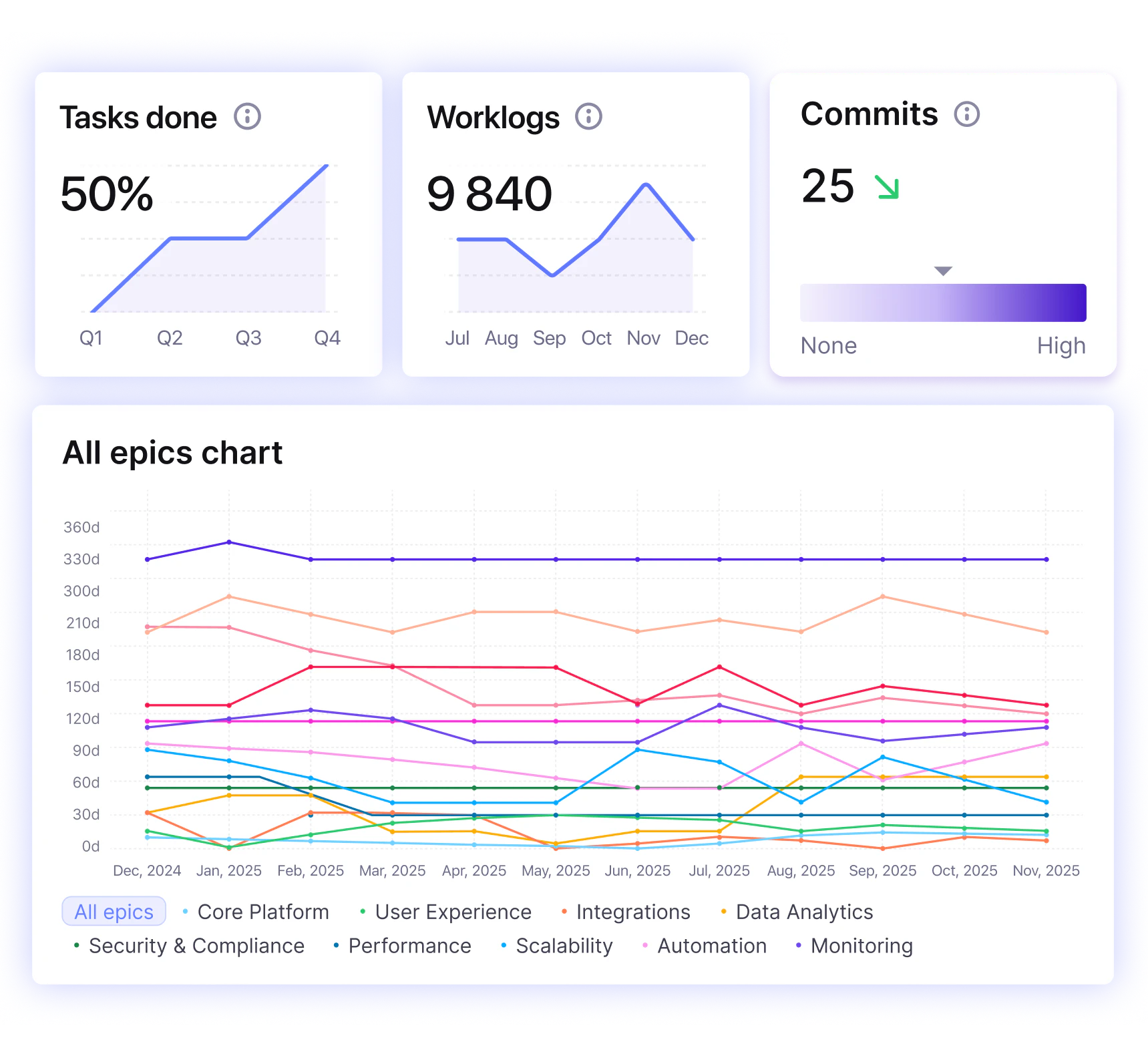
Say your company is launching a new product this quarter. For two months, you want the task count and the Epic's progress front and centre, so you add those widgets and watch them.
The product ships, and that view stops mattering. You delete it, and put something else in its place.

  • You build the board for what you care about now, and reshape it whenever that changes. Add a widget when you need it, drop it when you don't.
Image

Built on everything Enji already knows

Your dashboard draws on the same connected data as the rest of Enji: your trackers, code, knowledge bases, chats, and meetings, joined into one picture. So a widget can show you something no single tool could, because it's built from all of them at once.

  • And because it's the same data PM Agent works from, the dashboard and the agent always agree: what you see on your board is what the agent reasons from when you ask it a question.
Image

A dashboard for every role, from one to a thousand people

Whether you're a five-person team or a thousand-person company, everyone builds their own. The project manager gets their view, the team lead gets theirs, and the executive gets the high-level picture, all from the same underlying data, each shaped to the person looking at it.

  • Everyone builds the view they need, without splitting the project context.

Two ways to build your view

Pick from ready-made widgets

Pick from ready-made widgets

Enji comes with a library of widgets for the metrics teams actually track: cycle time, progress, and dozens more. You switch on the ones you want, and they're on your board. No setup, no configuration.

Ask PM Agent

Ask PM Agent

Anything you can ask PM Agent about your project, you can pin as a widget. Ask about a specific metric or a slice of your team's activity, and if it's useful, add it to your dashboard with a click.

FAQ

Your priorities changed. Your dashboard should too

Build, update, and reshape project dashboards around the questions your team needs answered today.