Automatic Worklogs, Personalized Navigation, and Bulk Editing
Enji now automatically generates worklogs without manual time tracking — teams get full analytics in less than 24 hours. This release also simplifies navigation, speeds up data editing, and improves key working interfaces.
Release dates: 03/12/2026
Green Worklogs – Phase 1: Automatic worklog generation
We've implemented automatic work time estimation based on employee activity, giving companies a way to use Enji's full analytics suite without requiring a manual time-logging culture. The system uses the formula (N - T) / K, where N is the target working hours per day, T is the time spent in meetings and other activities with a known duration, and K is the number of tasks with recorded activity. Artifacts are split into two types: static (task creation/update, comments), which carry a fixed time value, and dynamic (commits, branches, merge requests), which share the remaining time equally. For example, with an 8-hour day, 3 hours of static artifacts, and 2 dynamic tasks, each dynamic task receives 2.5 hours.
Generation runs nightly at 2:00 AM via the generate_green_worklogs DAG, covering the previous day, and is activated by a toggle in project settings. Worklogs are only generated when no manually entered worklogs exist for that employee on that day. All financial reports (Labor Cost, Margin by Project, and Employee Costs) work with automatically generated data, including calculations and charts.
IMPACT: Companies that view time tracking as overhead and bureaucracy can now access Enji's full analytics without rolling out a logging practice. Time to First Insight drops from weeks or months to under 24 hours.
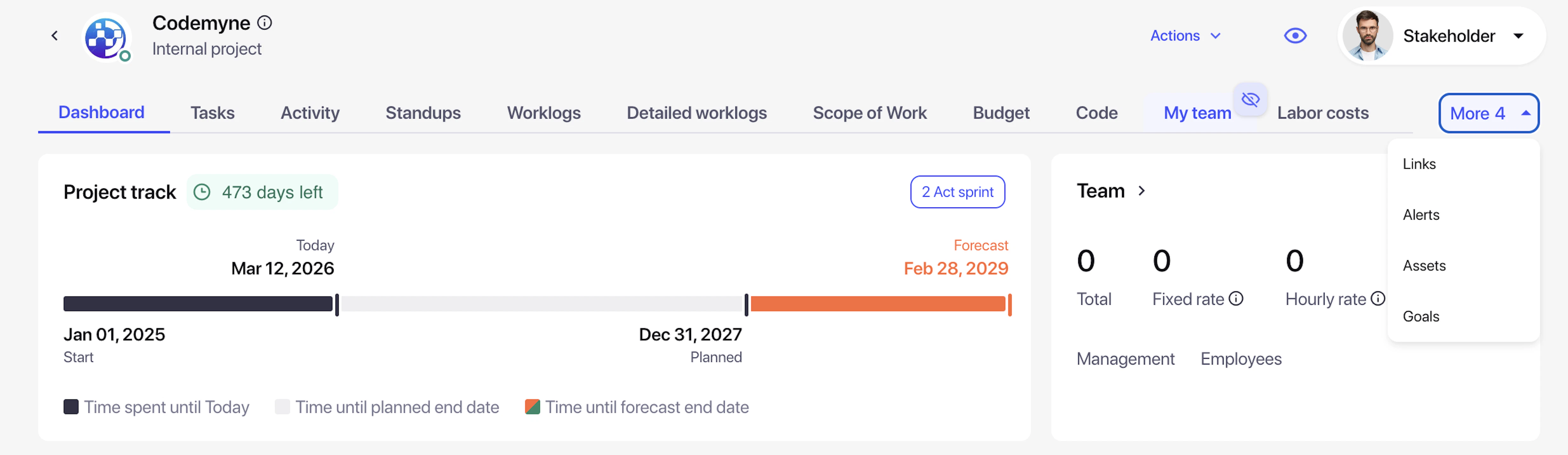
We've built an adaptive tab system with pinning and drag-and-drop personalization. An adaptive tab system has been developed with dynamic visibility calculation based on screen width. Tabs that don't fit the current screen width are automatically hidden under a "More N" button, where N is the count of hidden tabs. Additional functionality includes:
- Hide tabs by clicking the hide icon on hover
- Restore tabs from a dropdown via the pin icon, with automatic replacement of the last visible tab when the width limit is reached
- Drag-and-drop reordering within the visible tab row, with distinct visual states throughout the interaction
- Personal settings for tab order and hidden tabs are saved in browser sessionStorage per user and per page; Project A and Project B maintain independent configurations
- Default settings for new users match the current tab order
IMPACT: Users get personalized navigation instead of cognitive overload from a long row of horizontal tabs. Rarely used tabs, like Code or Agile Dashboard for non-technical roles, can now be hidden, and frequently used sections can be moved to the front for faster access. Settings are saved individually and have no effect on other users.
Adaptive display ensures optimal use of screen space at any resolution without horizontal scrolling, significantly improving the daily UX for projects with many tabs and reducing the time it takes to find the right section.
Full redesign of the Colleagues page
The Colleagues page has been rebuilt with a lighter visual style and full responsive support. Contact buttons (email, Slack, Telegram) now appear on row hover instead of being permanently visible, decluttering the table. Button sizes are responsive, and the "Without seniority" grade label is hidden for a cleaner display. Copying a contact now shows a "Copied to clipboard" confirmation. Column widths for grade levels (Junior, Middle, Senior) have been optimized, spacing between blocks corrected per the design spec, and filter bugs resolved, all without horizontal scrolling at any resolution.
IMPACT: Users now have a cleaner, more informative Colleagues interface. Contact buttons that appear on hover instead of permanently cluttering the table with icons improve readability and keep the focus on key employee information. Quick access to contacts on hover strikes the right balance between a clean interface and fast action. Responsive layout ensures correct display at any resolution without losing functionality, critical for daily use when looking up colleagues and reaching out to them.
Dynamic absence request counter
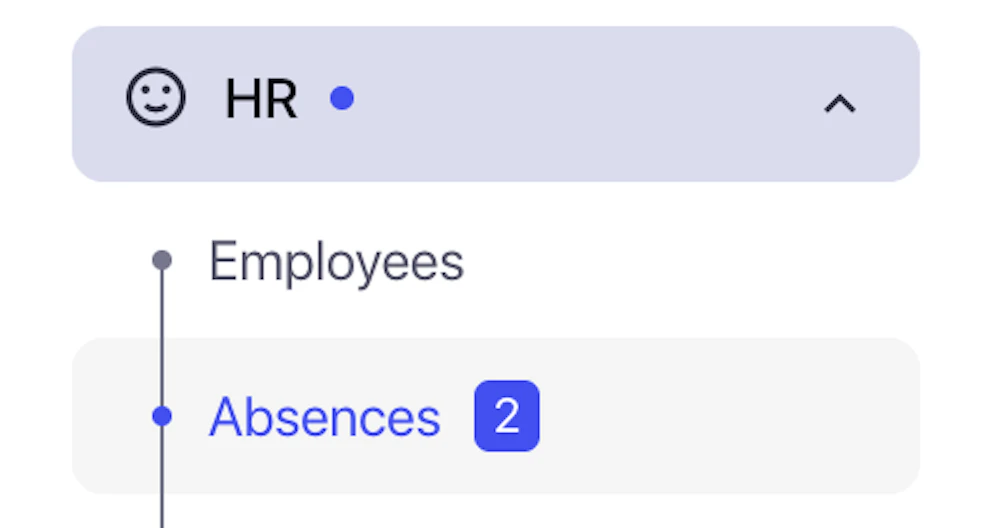
Notification badges have been added to the Absences tab in the left sidebar. The badge displays the number of requests with "In Review" status that require the current user's approval or rejection, and updates automatically after approving or rejecting a request: no page reload required. The counter disappears once the user has acted on all requests assigned to them, regardless of the status of other approvers.
IMPACT: Approvers now have a proactive notification system for incoming requests – a visual badge with the request count provides immediate visibility into pending approvals every time they log in. This eliminates the need to manually navigate to the Absences tab and check the "Awaiting your decision" view to discover pending items. Dynamic counter updates after each decision confirm the action and reflect the current workload in real time, critical for timely leave approvals and preventing team planning delays.
Meetings improvements
Server-side pagination and sorting for the Meetings tab. The meeting data loading architecture has been reworked from client-side to server-side processing. Pagination with configurable page sizes (25, 50, and 100 records) and sorting by date and other fields are now handled on the backend. The backend endpoint returns paginated data instead of the full dataset at once, and the frontend requests only the page it needs, along with the relevant sorting and filtering parameters.
IMPACT: The system now has a scalable solution for handling growing volumes of meeting data. A critical issue has been resolved where hundreds or thousands of meeting records, particularly for enterprise clients with years of ConfBot history, caused the Meetings page to load slowly or fail entirely due to the full dataset being transferred at once and filtered on the client side. Regardless of the total number of meetings, the page now loads quickly with a fixed set of records, and pagination provides comfortable navigation through the full history, critical for maintaining performance as client data continues to grow.
Project names and avatars in the Project column. The display logic for the Project column on the Meetings list page has been updated. Instead of technical identifiers, the column now shows project avatars and names. Records not linked to any project display "Undefined." This change ensures project names are readable and correctly attributed throughout the meetings list.
Future meetings are hidden from the Meetings interface. The filtering logic on the Meetings page has been updated to show only past meetings. Upcoming scheduled meetings are now excluded from the list. Backend-level filtering has also been implemented to ensure the correct data is returned on load.
Summary generation is disabled for meetings without a transcript. The meeting processing logic in Conference Bot has been updated so that AI summaries are only generated when transcript text is available from the transcription service. If the transcript is empty or missing (for example, due to a meeting with no audio, a recording failure, or participants not speaking) no summary is created. A validity check on transcript content is now performed before any data is sent to the LLM.
Inline table editing and UX improvements
Inline cell editing has been implemented using default Quasar component properties. Block editing has been updated across all major tables in the system. Users can now edit cell values directly in the table without opening additional modal windows: just click the pencil icon that appears on row hover.
Apply/Cancel buttons for confirming or discarding changes, automatic hiding of the currency symbol while editing monetary fields, a corrected edit icon with a proper hover effect, and table header highlighting when edit mode is active to visually distinguish the editing state.
Over 40 inline editing bugs have been resolved: pencil icons are no longer shown to users without edit permissions; tables no longer stretch horizontally or vertically when edit mode opens. Duplicate entries in select fields have also been removed, errors triggered when attempting to edit restricted fields are fixed, behavior across different screen resolutions has been corrected, and filters that failed to deactivate after editing are now handled properly.
IMPACT: Users can now work with data significantly faster. Bulk editing operations (updating rates, dates, and statuses) no longer require opening dozens of modal windows. This is critical for managing teams of 50 or more people, for managers updating project parameters, and for any administrative task that involves large-scale data changes.
Other improvements
Employee type filter (Staff / Non-Staff) added to Global Worklogs. A new "Employee type" filter has been added to the Global Worklogs page header. It works in combination with all existing filters (Month, Projects, Employees, Show inactive) and correctly filters the table to display only employees matching the selected type.
IMPACT: A critical payroll issue has been resolved; previously, users had to manually search through the full worklogs table to separate full-time employees, contractors, and freelancers. Now, switching to the relevant employee type for payroll calculation or hours verification takes a single click, significantly speeding up monthly payroll operations and reducing the risk of errors when working across multiple engagement types.
Progress bar restored in the Total column of the Project Worklog Report. Hours visualization has been restored in the "Total h" column on the Project Worklog Report page. The progress bar shows actual hours logged against the hours allocated under the project's SoW for the month. The bar color is dynamic: orange when utilization exceeds 100% and dark when within the target range.
Absence pie charts restored. A display issue on the Absences page has been fixed. Vacation usage charts are now rendering correctly, restoring accurate visualization of absence statistics by type: Vacation, Day off, Sick leave, and Unpaid leave.
Duplicate employee fix when adding via "Add from Enji" in the new project creation flow. A critical bug causing duplicate employee records has been resolved. Previously, adding a user to a project team via the "Add from Enji" button on the "Add a team" step would create a duplicate record instead of referencing the existing one. The system now correctly passes the employee_id of the existing employee in the request. The operation status message has also been fixed; it now returns the correct response instead of a "Warning."