PM Agent Updates, Absence Tracking, and System Fixes
This new release shows an enhanced PM Agent with multi-channel delivery and intent clarification, comprehensive annual absence tracking for HR teams, plus critical fixes to financial calculations and alert systems.
Release dates: 11/04/2025
New functionality and improvements in PM Agent
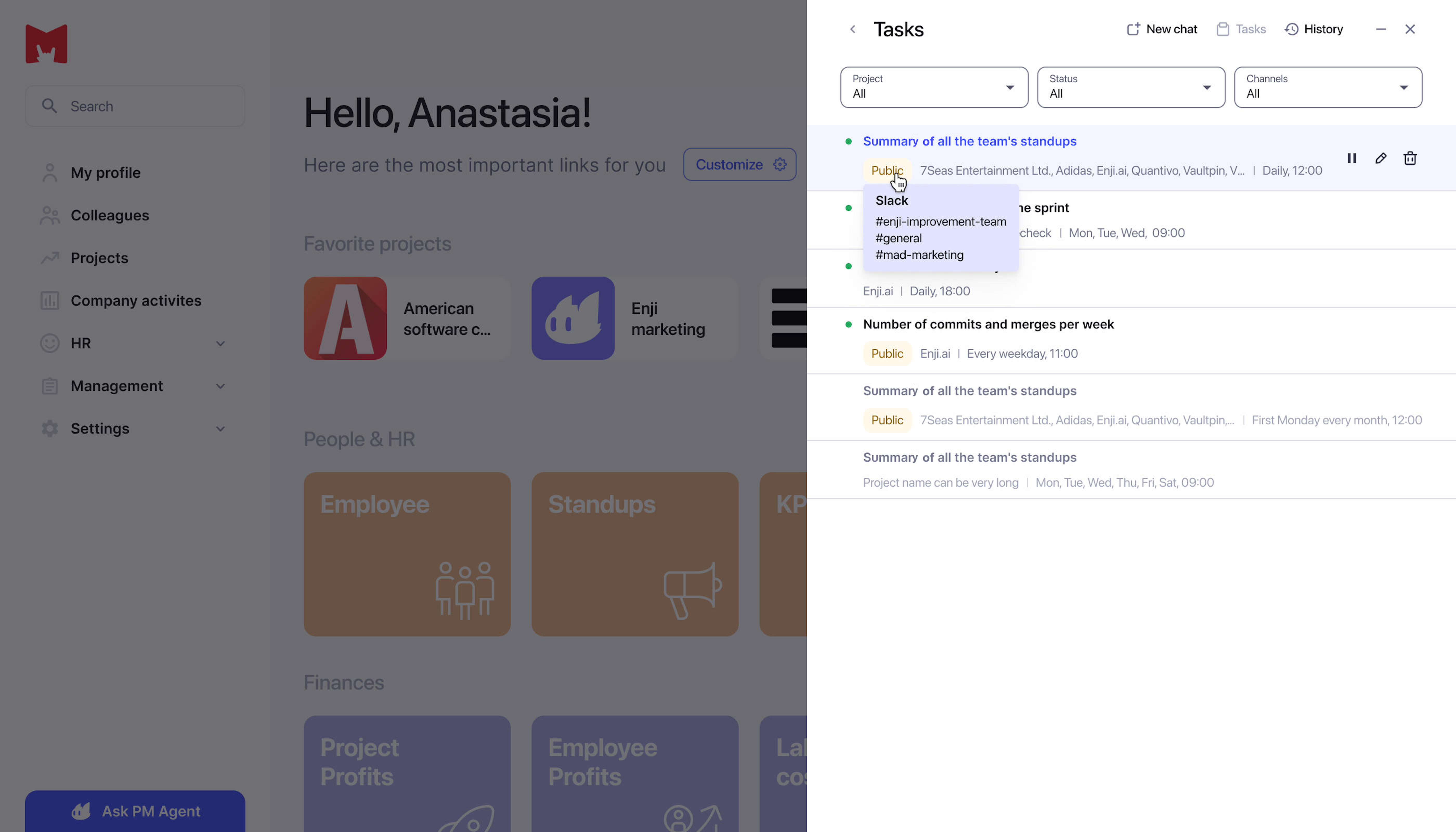
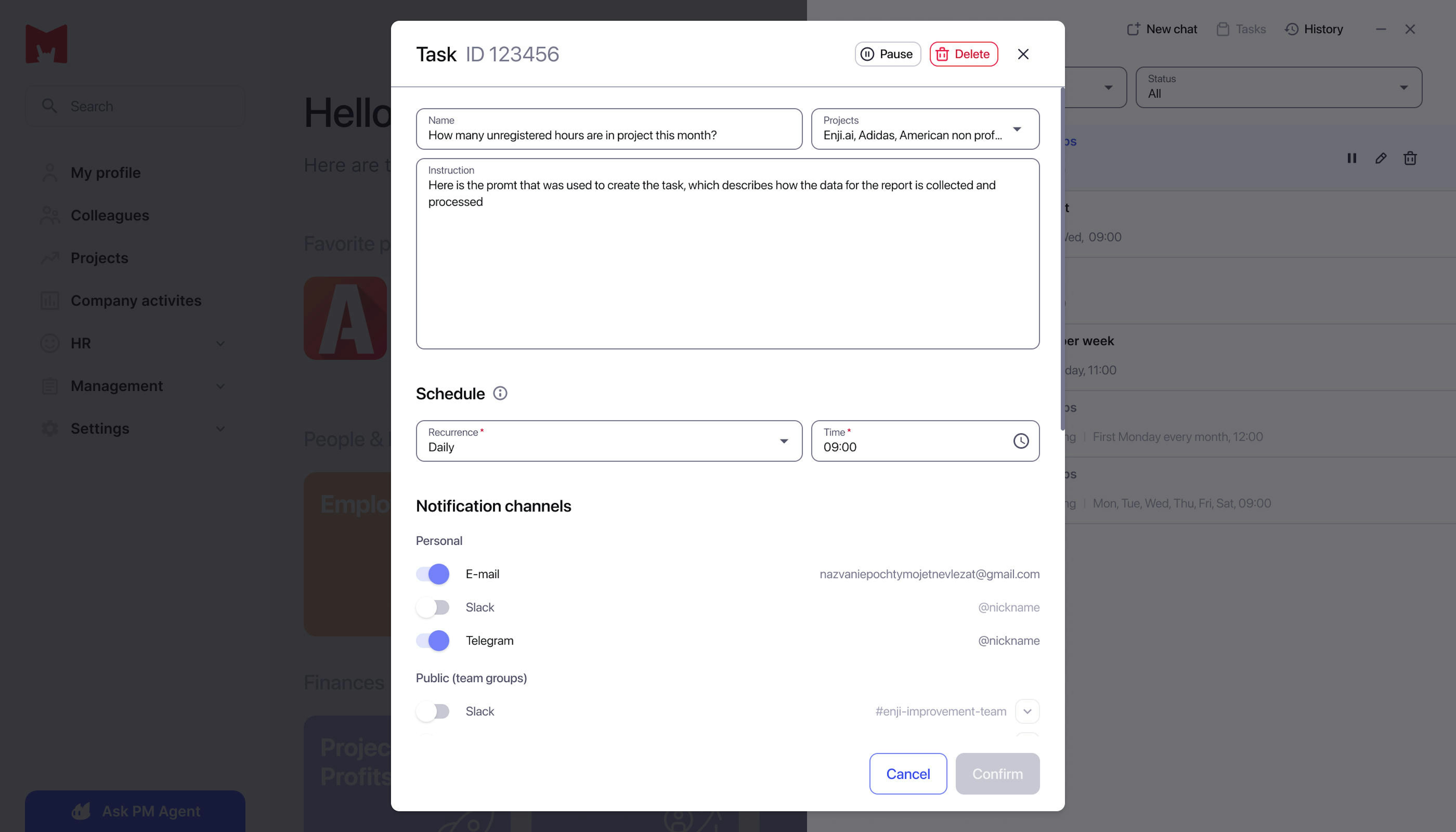
Multi-channel report delivery. We've added full support for choosing delivery channels for Periodic Tasks. Implemented delivery of results to private messages (Telegram, Slack), group chats (team_channel), and email, with the ability to combine multiple platforms simultaneously. The feature is integrated with project settings, with a frontend interface for platform selection using multi-selectors. Users now have a flexible system for delivering automatic PM Agent reports. You can configure periodic tasks with delivery to private messages, team chats, and email simultaneously, ensuring notification versatility for different team workflows and individual communication preferences.
Intent clarification logic. We've implemented a stage for clarifying ambiguous requests. The Agent now asks clarifying questions for general requests ("show me stats"), undefined timeframes ("recently"), missing target entities ("who worked?"), unclear pronouns ("what did he do?"), undefined metrics ("who's more efficient?"), and multiple ambiguities. The system maintains context and doesn't ask obvious questions. Users now have an intelligent assistant that recognizes when a request is ambiguous and helps specify it instead of providing inaccurate results. The Agent asks targeted questions to clarify project, period, and metrics, significantly improving answer accuracy and saving time on rephrasing requests.
New functionality and Absence Overview report
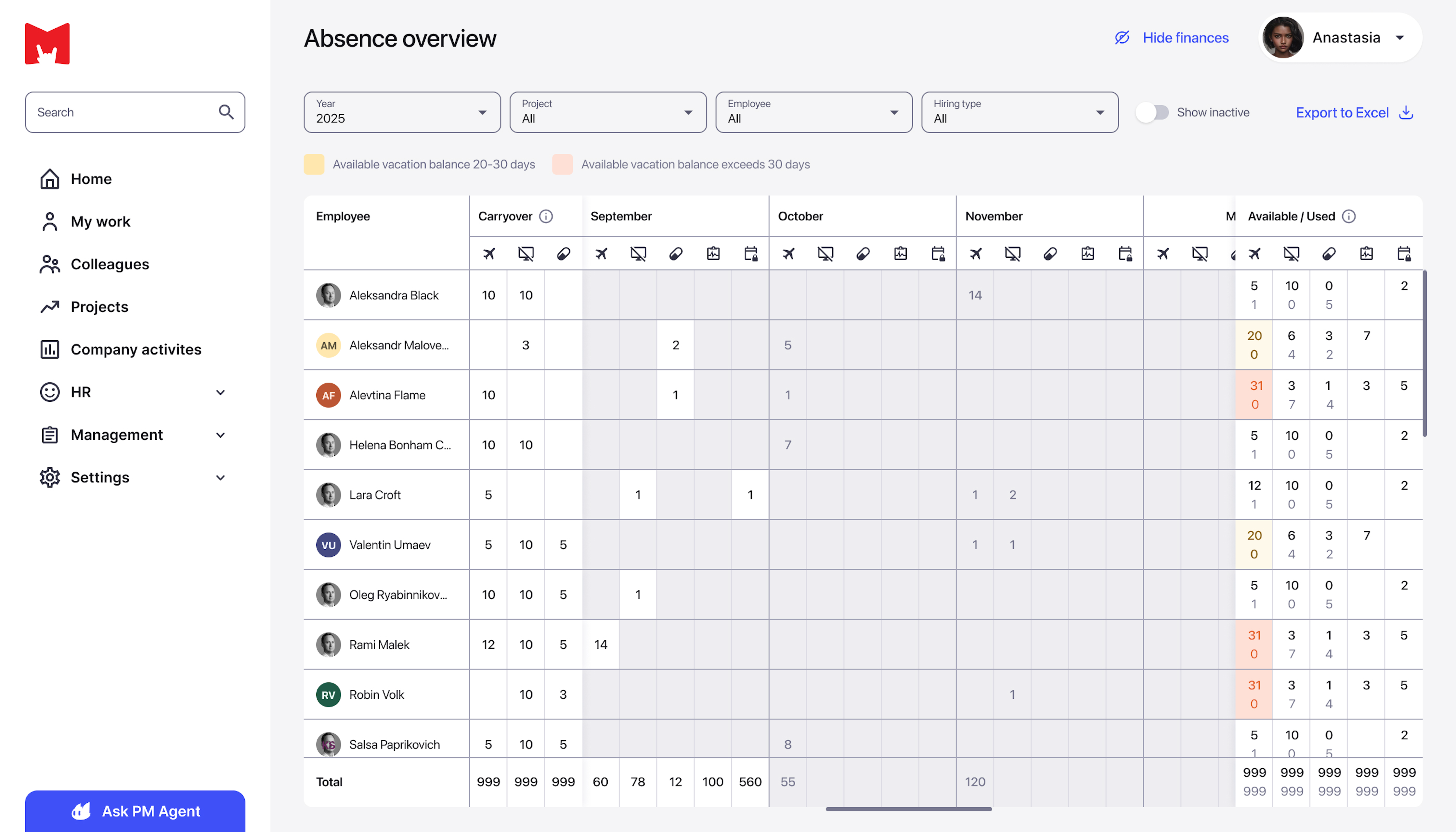
Implemented a comprehensive annual absence report (Absence Overview). We created a detailed HR → Absence Overview report with information on employees and months. The report includes columns for Employee, Carryover (balances as of January 1), 12 months with absence subtypes (Vacation, Day off, Sick leave, and Unpaid leave), plus Available and Used metrics. Added color-coded row indicators: yellow for 20–30 days of remaining vacation, red for more than 30 days, black for past days, and gray for scheduled days. Implemented filters by year, project, employee, hire type, and activity; profile navigation by click; tooltip with details on hover; fixed columns during scroll; auto-scroll to current month; and Excel export with formatting preserved.
HR specialists and managers now have a powerful tool for vacation usage analytics. You can visually track balances and usage of all absence types for all employees over the year on one screen, instantly identify vacation accumulation issues (red/yellow highlighting), and plan team capacity considering future absences. This is critical for preventing employee burnout and ensuring business process continuity.
Other improvements
- Refined calculation formulas for Fixed-scope and Ongoing dashboards. Unified and corrected Net Cost and Margin calculation formulas for all project types, accounting for Start/End Dates, extrapolation of last Rate and Cost values, inclusion of Additional expenses, and more. Fixed critical errors for projects lasting more than a month; correctly handles various pay rate combinations, ensuring financial metric reliability for management decisions. Dashboards now reflect accurate cost and margin calculations for long-term projects.
- Fixed division by zero in Labor Cost SQL queries when calculating worklog metrics. Eliminated a critical division-by-zero error in work time data aggregation—corrected SQL query line that caused errors when calculating metrics for worklogs with zero log sums, which blocked report functionality.
- Restored the ability to add avatars for users with flexible access rights. Returned avatar upload functionality with granular permissions. Employee can only change their own avatar, and PM/DM/HR/CTO/Stakeholders can change avatars for other users, solving the issue for clients with many users without an interface login.
- Fixed the number overlapping during scroll in the Employee Profits Consolidated Report table. Eliminated data overlapping during horizontal table scroll, optimized column sizes for better user placement, and adjusted spacing and sizes of the first two columns to eliminate unnecessary gaps.
- Fixed missing TELEGRAM_BOT_BASE_URL in sending_alert DAG. Added missing TELEGRAM_BOT_BASE_URL environment variable to sending_alert DAG configuration, eliminating errors when sending requests to Telegram bot API; also increased memory for telegram-bot-api service. Users have restored stable alert receipt via Telegram: the notification system functions without failures again, all configured alerts are delivered to private messages and Telegram group chats. This ensures a timely response to critical project events.
- Fixed alert sending for worklog limit exceeded events. Eliminated error in sending_alert DAG—now correctly sends notifications to channels when "Notify if worklog time exceeds the limit" and "Notify if work description does not comply with limits" alerts trigger. Project managers have restored automatic monitoring of time logging policy compliance; teams now promptly receive notifications about violations (excessively long worklogs or incorrect work descriptions). This allows timely behavior correction and maintains data quality for financial reporting and analytics.