AI Project Management Glossary: Key Terms
Definition of Agent lifecycle management
What is agent lifecycle management? From planning to retirement
Agent lifecycle management is the process of managing an AI agent from initial planning and configuration through evaluation, deployment, ongoing operation, change, and eventual retirement. It covers the complete agent system, not just its model or code, including tools, data, permissions, instructions, integrations, and ownership that can affect how it behaves over time. There is no single formal lifecycle standard that every organization follows.
Why do AI agents need lifecycle management?
An agent is not finished when it goes live. Its business purpose may change; a model, instruction, data source, tool, or integration may be updated; permissions may expand; or users may begin relying on it in ways the original team did not expect. Each material change can affect the agent's behavior, value, and risk.
Post-deployment problems can emerge gradually. Knowledge may become stale, source documents can change, integrations can break, or new user needs can expose gaps. Microsoft's lifecycle guidance treats agents as products that need continuing ownership, monitoring, improvement, or retirement. The specifics of that guidance are one organization's framework, not a universal requirement.
Lifecycle management gives teams a way to keep an agent's purpose, owner, configuration, evidence, and status visible. It helps people decide when to re-evaluate or change an agent and when to stop using it. It does not guarantee safe operation; the process must be applied to the agent's actual use and risk.
What are the stages of an AI agent lifecycle?
Organizations name and group lifecycle activities differently. A practical sequence may include the following stages, but it is not a mandatory stage count or a waterfall:
- Plan and scope. Define the problem, intended users, expected outcome, owner, data and tools required, and actions the agent must not take.
- Build and configure. Set up the model, instructions, knowledge, memory where needed, tools, integrations, and permissions.
- Evaluate and approve. Test expected tasks, failure cases, access boundaries, and relevant production conditions. Evaluation should provide evidence that the agent is suitable for its intended use.
- Deploy. Release the approved configuration with an owner, monitoring approach, and a way to disable or roll back changes when appropriate.
- Monitor, review, and improve. Track quality, failures, user feedback, operational signals, and changes to data or business needs. Re-evaluate after material changes.
- Retire. Stop execution when the agent no longer serves a need, remove or revoke access and integrations as appropriate, preserve required records, and update its status.
An agent may move between these activities more than once. A new tool or broader permission can return a deployed agent to configuration and evaluation. The lifecycle is better understood as ongoing management with review points than as a one-way path that ends at deployment.
What should be managed across the lifecycle?
| ELEMENT | WHY IT MATTERS |
|---|---|
| Purpose and owner | Keeps the agent tied to a real need and gives someone accountability. |
| Model and instructions | Changes can alter behavior and expected performance. |
| Data and knowledge | Sources can become stale, unavailable, or unsuitable. |
| Tools and integrations | APIs and connected systems can change or fail. |
| Permissions | The agent’s access should continue to match its purpose. |
| Evaluations and monitoring | Teams need evidence of expected behavior before and after changes. |
| Status and retirement | Unneeded agents should not remain active without oversight. |
Not every element needs the same level of control for every use case. A low-impact internal helper may need a lighter process than an agent that can change business records or interact with customers. Controls should reflect impact, access, and the consequences of failure.
Teams can make lifecycle work practical by defining review triggers. Examples include adding a new tool, changing the agent's scope, changing data access, replacing a model, moving to a new user group, or observing a repeated failure. A review trigger does not mean every small edit needs a full approval process. It gives owners a way to decide which changes could materially alter behavior and should be evaluated before or after release.
Evaluation and monitoring have different roles. Evaluation tests the agent against defined tasks or scenarios; monitoring observes its behavior and operational health in use. Both can reveal problems, and results should connect to a specific version or configuration so teams can investigate what changed. The appropriate measures depend on the intended task and should not be reduced to a single generic accuracy score.
Agent lifecycle management vs. AI agent governance
Lifecycle management organizes how an agent is introduced, operated, changed, reviewed, and retired. AI agent governance defines rules, accountabilities, and controls for what agents may access or do. Governance applies throughout the lifecycle: it can shape intake, permissions, evaluation, monitoring, change approval, and retirement. The concepts are related but not interchangeable.
Agent lifecycle management vs. model and application lifecycles
Model lifecycle management focuses on model versions, training or fine-tuning, evaluation, deployment, and monitoring. Agent lifecycle management covers the wider system that uses a model, including prompts, tools, data, permissions, integrations, and business ownership.
Application lifecycle management (ALM) generally concerns the development and maintenance of software applications. Agent systems share some software lifecycle practices, but add concerns such as probabilistic behavior, changing context, tool use, and behavior evaluation. The abbreviation ALM is often used for Application Lifecycle Management, so “agent lifecycle management” should be written out when ambiguity is possible.
AgentOps is a broader operational discipline for running agentic systems. Lifecycle management is one related concern: it addresses how an agent is planned, operated, changed, and retired over time. It should not be presented as a synonym for the whole of AgentOps.
What can happen when an agent is unmanaged?
An agent can continue operating after its owner leaves, rely on stale information, retain permissions that no longer match its purpose, or break after an integration changes. A model or prompt update may also introduce regressions that are not detected if teams do not evaluate the agent again. At the other end of the lifecycle, an unused agent can continue to consume resources or retain access simply because no one formally retired it.
These are reasons to make ownership and status explicit, not proof that every agent needs a large governance office. A small team can still define an owner, basic checks, a review trigger, and a retirement path that fit the agent’s impact.
Lifecycle records should be useful to the people operating the agent. A simple record might identify its purpose, owner, current status, users, connected sources, tools, permissions, last evaluation, and next review trigger. It should also make changes and retirement visible. The record does not have to capture every development detail; it should help an owner understand what the agent is allowed to do and what evidence supports continued use.
Example: lifecycle of a project agent
A company wants an agent to prepare recurring project updates. During planning, the team identifies the users, data sources, report format, owner, and permitted scope. It connects project systems, chat, documents, and meetings, then evaluates whether the agent can produce accurate summaries and identify missing or conflicting information.
After deployment, the owner monitors output quality and source availability. Months later, the team connects a new system and changes the reporting process. Those changes alter the agent’s context, so the owner reviews permissions and runs relevant evaluations again. If the workflow is discontinued, the team disables the agent, removes obsolete access, and records its retirement. The process does not imply that every organization must use the same stages or tools.
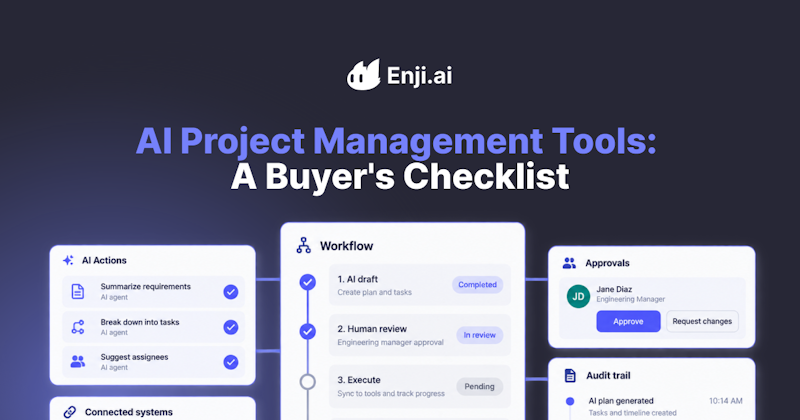
Enji's PM Agent connects project trackers, code repositories, chats, documents, and meeting notes to answer questions about progress, blockers, risks, ownership, and next steps. Teams can add company-specific terminology and processes through Project Brain, set Signals to monitor conditions that matter, and use Process Builder to run repeatable workflows across connected tools. As connected sources, company context, and workflows evolve, the agent's operating context and capabilities may change too, making PM Agent a practical example of why agents need ongoing review. This example does not position Enji as an agent lifecycle management or AgentOps platform. For buyers evaluating project agents, see:
Key Takeaways
- Agent lifecycle management covers an agent from planning and configuration through deployment, ongoing operation, change, and retirement.
- The lifecycle applies to the complete agent system, including data, tools, permissions, instructions, integrations, and ownership.
- Deployment is not the end: meaningful changes to an agent or its environment may require renewed evaluation and review.
- Lifecycle management organizes stages and ownership, while AI agent governance defines rules and controls applied throughout those stages.
- Clear ownership and a deliberate retirement path help prevent agents from becoming stale, unowned, or active after they are no longer needed.

FAQ
What are the stages of an AI agent lifecycle?
How is agent lifecycle management different from AI agent governance?
Does the lifecycle end when an agent is deployed?
Last updated in October 2026