This topic is definitely huge, but I'm going to cover the surface-level fundamentals of how to approach moving from smart models to not-so-smart ones.
Let's say you built an agentic pipeline for corporate automation relying on Google and OpenAI models. Maybe you're building a company chatbot that answers project-related questions, handles employee onboarding, and even executes tasks autonomously based on your instructions.
Everything works great until your company announces that due to regulations, you can no longer use external models in your pipeline. You can't access cloud-based APIs anymore. Your country's cloud providers can't deploy top-tier models yet. So you have no choice but to rebuild your pipeline on smaller open-source models that you can run on self-hosted infrastructure with access to, say, 10 RTX 4090s.
Below is a basic manual for anyone taking this challenging path.
Picking one or more models for our pipeline
There are a lot of open-source models on the market that sometimes approach last-generation SOTA benchmarks (Claude Sonnet 3.5, GPT-4o) while being open-source and runnable on your hardware, but models that reached SOTA benchmarks from 6 months ago, like Kimi 2, Minimax M2.1, and GLM-4.7, require so much hardware to run in a single stream that your management probably won't allocate the resources.
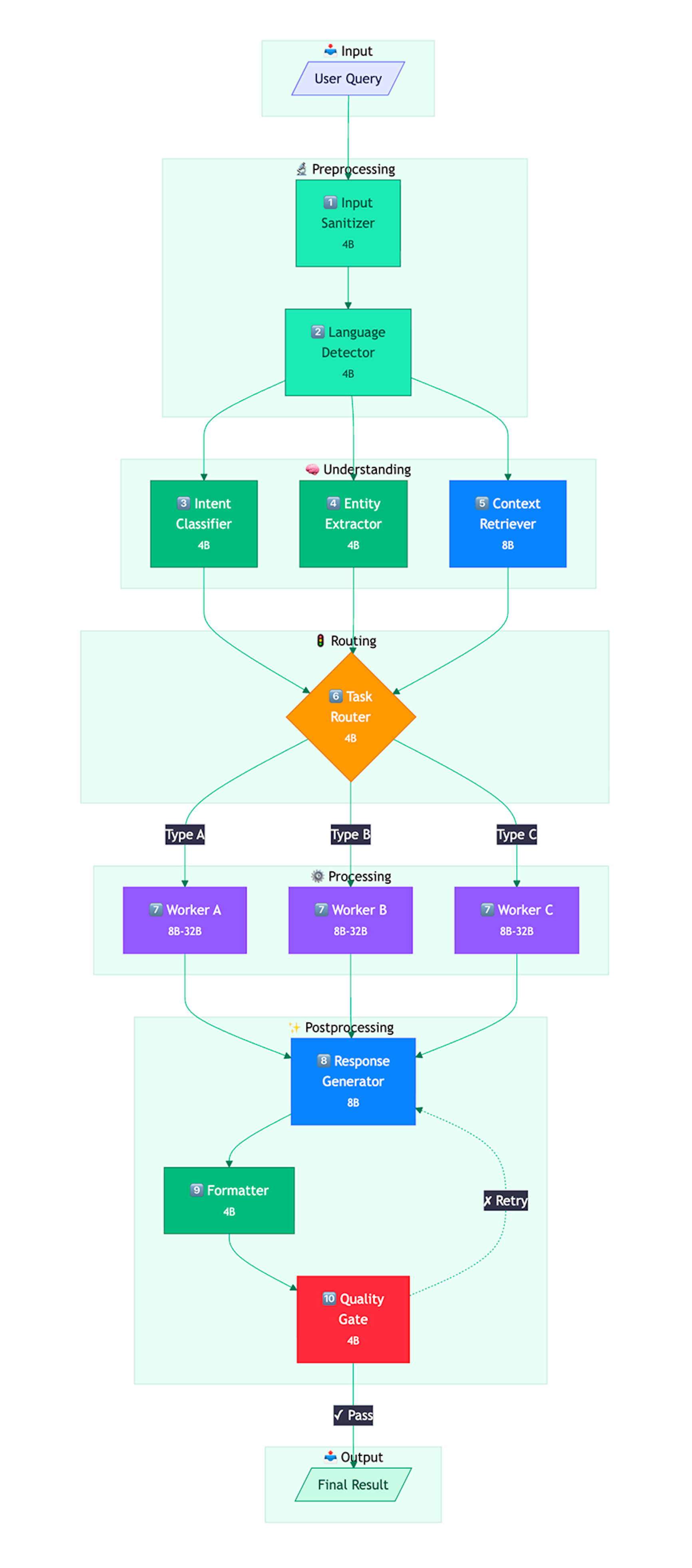
So we must look at smaller models. Through extensive trial and error, our team settled on Qwen3 and its three versions: 4b, 8b, and 32b (the 32b version even has reasoning capabilities for complex tasks). For different tasks, we call different Qwen3 models varying by parameter count. If we determine the current node (I'll explain nodes below) doesn't need 32b parameters and can handle its job with 4B, we call the smaller model for hardware savings, burning less electricity, using fewer resources, and enabling parallel computing.
Increasing nodes in your pipeline
What's the difference between a powerful model and a weaker one? With a powerful model, you can use general-purpose prompts, provide larger context windows, and rely more on the model inferring user intent independently. When switching from powerful models to weaker open-source ones, the first step is breaking the pipeline into the maximum number of small, manageable nodes your infrastructure can support.
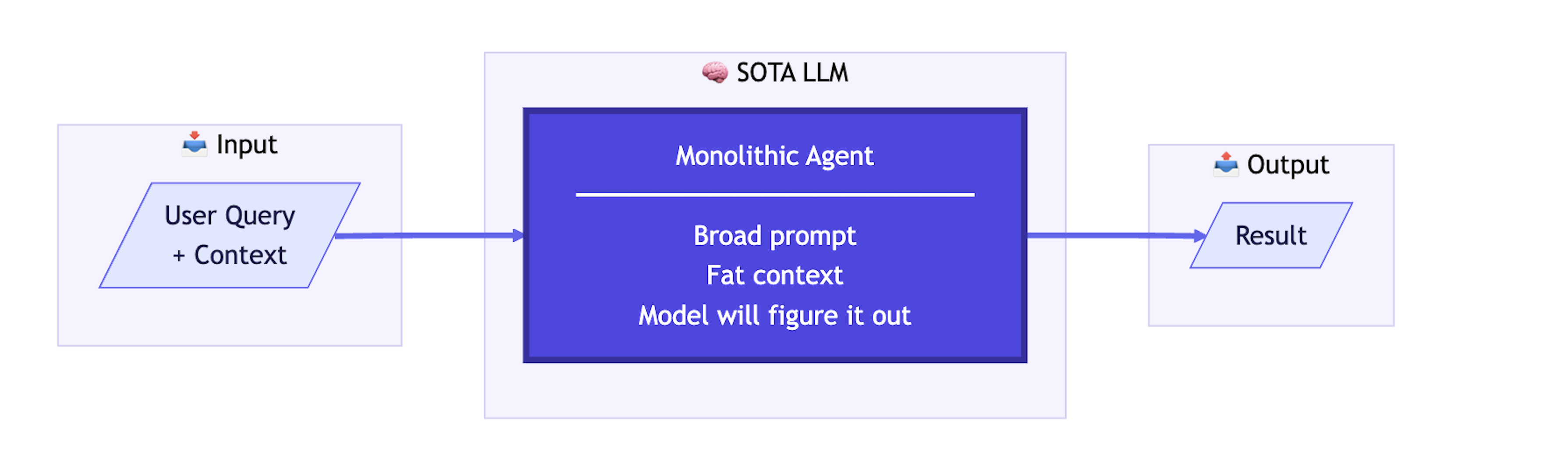
Here's a simplified example schema showing the elegance of working with SOTA LLMs, especially current models like Claude Opus 4.5 or Gemini 3 Pro High: