Essential Strategies for Measuring Development Team Productivity

Analyze with AI
Get AI-powered insights from this Enji article:
A development team may close more tickets, merge more pull requests, and still miss its release deadline. The numbers are accurate, but they don't explain what slowed delivery. For engineering leaders, this is one of the main challenges of measuring productivity: Git repositories, project management systems, and CI/CD pipelines provide plenty of data about development activity, yet individual metrics rarely explain whether a team is delivering valuable software efficiently.
A shorter cycle time could indicate a smoother development process, or simply smaller tasks. Higher throughput might reflect increased capacity, or a change in how the team splits work. Even an improvement in deployment frequency tells only part of the story if production incidents are becoming more common.
Measuring development team productivity requires understanding these differences and identifying where processes need attention. This article covers 11 commonly used engineering metrics, their limitations, and practical ways to interpret the data without turning measurement into micromanagement.
Why development team productivity metrics matter
Development teams work across multiple systems. Tasks move through Jira or other project management tools, code changes appear in repositories, and releases pass through testing and deployment pipelines. Delays can emerge at any stage, but the information needed to understand them is often distributed across different tools.
Consider a team that regularly finishes implementation on schedule but struggles to release features. A project dashboard may show completed development tasks, while the actual bottleneck sits in a growing testing queue or unresolved integration dependencies. Without examining the workflow, management might conclude that the team needs to write code faster, even though implementation speed is not the problem.
Productivity metrics help engineering leaders make several types of decisions:
- Identify delivery bottlenecks. Find where tasks accumulate, reviews take longer than expected, or work repeatedly returns to development.
- Improve planning. Compare historical delivery patterns with upcoming commitments to understand whether deadlines are realistic.
- Monitor engineering quality. Track defects, rework, and recovery alongside development speed to see whether faster delivery introduces additional costs.
- Allocate resources. Understand when limited reviewer availability, testing capacity, or competing priorities prevent work from moving forward.
These insights are useful only when teams agree on what the numbers represent. Tracking completed tickets can help with sprint planning, for example, but it cannot establish how much value an individual engineer contributes. Some developers spend considerable time reviewing architecture, investigating incidents, mentoring colleagues, or resolving dependencies that are poorly represented by task counts.
Measurement also affects behavior. If developers believe they are being judged primarily on the number of tickets or commits, they may start optimizing those numbers instead of the work those numbers are supposed to represent. This is one reason to distinguish process visibility from micromanagement: metrics should help managers identify where support is needed, rather than create pressure to demonstrate constant activity.
11 key metrics for measuring development team productivity
No single metric describes engineering performance. A useful measurement system combines indicators of workflow speed, planning predictability, code quality, and delivery stability. Teams do not need to track all 11 metrics immediately. The appropriate selection depends on the questions they are trying to answer.
Cycle time measures how long work takes from the moment it enters active development until it reaches a defined completion point. It helps identify delays during implementation, review, or testing, but a rising average does not automatically indicate that developers are working more slowly. Before investigating a change, check whether the team has taken on larger tasks, whether work is blocked by external dependencies, and which workflow stages account for the additional time.
Lead time measures the elapsed time between a starting event and delivery. In project management, teams may calculate it from the original request to completion, including time spent waiting in the backlog. Definitions vary between frameworks: DORA's change lead time, for example, specifically measures the time from code commit to production deployment. These are different measurements and should not be mixed in reports.
Throughput is the number of work items completed during a defined period, including features, bugs, user stories, or other tasks. An increase can indicate that work is moving more consistently through the system, but it can also result from dividing larger tasks into smaller tickets. Comparing throughput with cycle time, unfinished work, and actual delivery outcomes helps determine whether the improvement reflects a meaningful change in productivity.
Velocity estimates how much work a team completes during a sprint, usually measured in story points. Its primary use is planning: when a team has a reasonably stable way of estimating work, historical velocity can help determine how much to commit to in future sprints. It should not be used to rank different teams because story points are relative estimates, and one team's five-point task may differ considerably from another team's.
WIP represents tasks currently being worked on but not yet completed. A growing WIP count may indicate that developers are starting new tasks while existing work waits for reviews, testing, or external decisions. A team with high WIP may appear busy while completing relatively little work. Limiting concurrent tasks can help reduce context switching and make blocked work easier to identify.
Sprint burndown
A sprint burndown chart shows how much planned work remains as the sprint progresses. It helps teams recognize whether delivery is moving according to plan and whether unfinished work is accumulating near the deadline. However, a smooth burndown is not necessarily evidence of balanced workloads, since the chart can be affected by how the team updates estimates or closes tasks. It becomes more useful when considered alongside changes in scope and the actual state of work.
Code quality and collaboration
Code churn
Code churn measures how much code is changed or rewritten over a period, often focusing on recently introduced code. Repeated modifications may point to unclear requirements, defects, or implementation problems, but they can also result from planned refactoring. When churn increases, examine the affected changes rather than assuming the team is producing low-quality code. A module undergoing deliberate restructuring should not be interpreted in the same way as a feature repeatedly rewritten because its requirements were misunderstood.
Defect rate
Defect rate describes the frequency of identified defects relative to a defined unit, such as delivered features, releases, or another consistent denominator. It can help teams understand whether changes to their development process affect software quality, although defect counts also depend on testing coverage, reporting practices, and issue severity. A team that improves testing may initially report more defects because it is finding problems that previously went undetected. Separating production defects from issues discovered before release provides a clearer view of quality.
Code review time
Code review time measures how long changes spend in the review process. Long review times may indicate unavailable reviewers, large pull requests, repeated revisions, or unclear ownership, so it is useful to distinguish waiting time before the first review from the time required to discuss and resolve feedback. Shorter reviews are not automatically better: if faster approvals are accompanied by more production defects or repeated corrections, the team may be sacrificing verification quality for speed.
Production delivery and reliability
Deployment frequency measures how often a team deploys changes to production. Frequent, smaller releases can make it easier to identify problems and reduce the amount of work affected by an unsuccessful deployment, but frequency needs to be considered alongside reliability. A team releasing frequently while dealing with repeated rollbacks may not be delivering more effectively. The DORA software delivery metrics combine deployment frequency and change lead time with indicators of stability and recovery, using five metrics: change lead time, deployment frequency, failed deployment recovery time, change fail rate, and deployment rework rate.
MTTR measures the average time required to repair a failed system or component and restore functionality. In software operations, teams may also track mean time to recovery, but these definitions need to remain consistent across reports. DORA uses the more specific term failed deployment recovery time for recovery following a deployment that causes a production failure. Lower repair or recovery times are generally desirable, although incident severity, frequency, and customer impact also need consideration.
Check your data before comparing team performance
Before interpreting engineering metrics, verify that the underlying data is comparable. Two teams can report different cycle times because they work differently, or simply because they record work differently.
Consider Jira workflows. One team moves a ticket into "In Progress" when development begins, while another updates statuses after stand-ups or at the end of the day. Even if both teams follow similar engineering practices, their reported cycle times may differ because of these conventions. The same problem appears with throughput when one team creates a separate ticket for every small fix and another combines related changes into larger stories.
Repository metrics require similar care. A service maintained by a small team may receive fewer commits than an actively developed application, even though maintaining that service involves difficult engineering decisions and substantial responsibility.
Before comparing performance, teams should agree on the start and end points of each metric, which task types and repositories are included, and how exceptional events are handled. Major releases, incidents, migrations, or changes in reporting practices can distort trends. When a dashboard shows an unexpected result, checking individual source records can reveal whether the difference comes from actual engineering work or how that work was recorded.
Metrics can be precise without accurately representing the underlying work. Treating them as comparable before verifying their definitions creates a risk of making decisions based on reporting differences rather than real performance problems.
How to investigate productivity metrics before taking action
An increase in cycle time tells you that work is taking longer, but it doesn't explain where the delay occurs. Consider a hypothetical team whose cycle time has increased over several sprints. The first step is to examine how tasks move through development, review, testing, and completion to identify which stage accounts for the additional time.
If most of the delay occurs before code review, asking developers to finish implementation faster will not solve the problem. The team may need to adjust reviewer availability, distribute review responsibilities, or reduce pull request size. If testing accounts for the delay, investigate unstable environments, test execution time, and dependencies between development and QA.
The relevant action depends on where work is waiting. Reviewing several affected tasks also helps establish whether a recurring bottleneck exists or whether the average was distorted by an unusually complex feature or isolated incident.
When improving metrics hide delivery problems
Consider another situation: a team completes more Jira tickets than in the previous sprint but releases fewer features to customers. Throughput has increased, yet delivery has not improved. The team may have divided work into smaller tickets, completed tasks that are still waiting for integration, or accumulated features that cannot be released because of unresolved dependencies.
Before interpreting higher throughput as better productivity, compare completed tasks with deployed changes, examine remaining WIP, and check whether defects or rework increased. These measurements help distinguish activity from completed delivery.
The same reasoning applies to code churn. Frequent modifications to recently written code may indicate unclear requirements or repeated corrections, but they may also reflect deliberate refactoring. The metric alone cannot distinguish one from the other.
These examples illustrate why engineering managers should investigate the underlying work before changing a process. A number can identify something worth examining, but it rarely provides a complete diagnosis.
Why productivity metrics can become misleading
Metrics influence behavior, especially when they become performance targets. This problem is commonly described through Goodhart's law: once a measure becomes a target, people may optimize the measure instead of the outcome it was intended to represent.
For development teams, the consequences are easy to imagine. If success is defined by completed tickets, teams may divide work into more tickets. If commit count becomes a performance indicator, developers may create more commits without improving delivery. If review speed is rewarded in isolation, thorough reviews can become a disadvantage. The reported numbers may improve while the underlying engineering process becomes less effective.
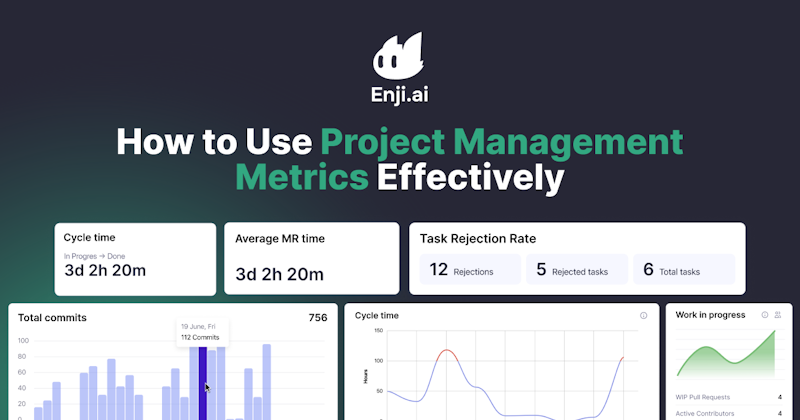
The challenge is deciding what to do when the numbers start sending warning signals. Teams should first examine the context, identify the likely cause, and make targeted improvements that can be evaluated afterward. Enji's approach to data-driven decision-making is built around using project information to support decisions about capacity, priorities, and potential roadblocks. For a broader discussion of using measurements in project management, see our article:
Avoid using activity metrics as individual performance scores
An engineer who spends several days investigating a production incident may produce fewer commits than a colleague working on routine changes. Another developer may spend time reviewing pull requests, mentoring junior engineers, or resolving architectural questions. These activities can improve the performance of the entire team without producing a proportional increase in individual output metrics.
The SPACE framework addresses this limitation by considering five dimensions of developer productivity: satisfaction and well-being, performance, activity, communication and collaboration, and efficiency and flow. Developed by researchers including Nicole Forsgren, Margaret-Anne Storey, and Thomas Zimmermann, the framework recognizes that developer productivity cannot be captured by a single number.
Engineering leaders therefore need to combine quantitative data with information about developer experience, collaboration, and working conditions. A dashboard can show that pull requests remain open longer than before, but it cannot establish whether a particular developer is underperforming.
AI-assisted development introduces new measurement challenges
AI coding tools can change where engineering effort is spent. Developers may generate initial implementations faster while additional work shifts to code review, testing, debugging, and security verification. As a result, traditional activity metrics become harder to interpret without examining what happens after code is written.
DORA's March 2026 analysis of AI-assisted software development describes this tension. Faster code generation can reduce friction at the beginning of a task, but time saved during implementation may be spent auditing and validating the results. For teams adopting AI-assisted development, commit volume and pull request counts become even less reliable as standalone indicators of productivity.
A better assessment considers whether review time, rework, production stability, and delivery lead time improve together. Otherwise, an increase in development activity may simply move the bottleneck to another stage of the delivery process.
A real example: how Clutch improved communication with project data
Clutch, a global marketplace connecting businesses with service providers, provides an example of how project measurements can reveal problems that activity counts miss.
According to Enji's published Clutch case study, the company had established engineering processes but needed better visibility into priorities, communication, and resource allocation as it scaled. One issue concerned the time engineers spent discussing technical questions. These conversations were often necessary for solving problems and sharing knowledge, but time-tracking records included some discussions under client projects even when they were unrelated to a specific deliverable.
Enji helped Clutch examine time spent on project activities. Based on the findings, the company introduced dedicated communities where engineers could discuss broader technical questions outside individual project workflows. The published case study reports that weekly meeting time was cut in half from an initial 30 hours, alongside a reduction in time billed for communication.
The important detail is the decision behind the improvement. Clutch did not simply ask engineers to communicate less. It distinguished between different types of communication and changed how technical discussions were organized.
The same case study describes another challenge: incomplete worklogs and unexpected requests made it difficult for leaders to see whether teams were working on their weekly priorities. More consistent status updates and project visibility helped management recognize deviations earlier.
These examples show how project data can support decisions about communication and resource allocation. The improvement came from understanding why time was being spent and addressing the underlying process.
How to start measuring development team productivity
Engineering teams do not need a large dashboard with dozens of indicators to begin improving their processes. A smaller set of metrics, selected around a specific delivery problem, is often easier to interpret and more useful for decision-making.
1. Define the problem before choosing metrics. Start with an operational question. If features regularly miss planned release dates, examine lead time, cycle time, WIP, and work waiting in review or testing. If the concern is release stability, deployment frequency alone is insufficient; include indicators such as change fail rate and recovery time. The choice of metric should follow the problem rather than the availability of data.
2. Establish a baseline. Review historical data over a period representative of the team's normal work and look for recurring patterns rather than isolated changes. Check whether staffing adjustments, new requirements, major releases, or changes in scope affected the numbers. If measurement definitions have changed, record the difference instead of treating the new values as directly comparable with previous reports.
3. Investigate changes with the team. Use metrics to prepare specific questions for engineers. Rather than asking why productivity has fallen, ask why several pull requests remained in review longer than usual or why tasks accumulated in testing during the last sprint. Looking at the relevant work items together can reveal dependencies, unclear requirements, or coordination problems that are not visible in dashboards.
4. Make one process change and evaluate its effect. If review queues are causing delays, the team might establish clearer review ownership or reduce the size of incoming changes. After making the adjustment, check whether waiting time decreased without a corresponding increase in defects or rework. If the results do not improve, revisit the diagnosis rather than introducing more changes without understanding the cause.
How Enji helps teams investigate delivery bottlenecks
Engineering managers often need to combine information from several sources before they can understand what is happening in a project. Enji brings engineering and project activity into reports that help managers examine delivery progress and identify areas requiring closer attention.
Its Code Metrics capabilities include Work in Progress reporting and individual code metrics such as average pull request time, cycle time, and commit activity. For example, a manager reviewing an increase in pull request time can investigate potential review delays with the engineering team. Similarly, visibility into WIP can help identify situations where too many tasks remain active while completed work is not moving forward.
Enji also supports project visibility through worklogs, stand-ups, and management reporting, helping leaders understand how engineering activity relates to priorities and resource allocation. The Clutch case illustrates how this approach can lead to practical changes in communication and project management.
These metrics provide a starting point for investigation. Managers still need to check the underlying tasks, understand the engineering context, and discuss possible changes with the team before acting.
Conclusion
Productivity metrics are useful when they help teams identify a problem, understand its cause, and evaluate whether a change improved the workflow. Increasing cycle time may lead to an investigation of review queues, rising throughput may prompt a comparison between completed tasks and released features, and higher code churn may reveal repeated corrections or planned refactoring. Each situation requires context that the number alone cannot provide.
Start with the delivery problem you want to solve, select a small set of relevant metrics, verify the underlying data, and review the findings with the team. Use the results to make specific process changes and measure their impact rather than pursuing better dashboard numbers as an end in themselves.

Ready to see the signals that will boost performance? Try Enji.ai today!